Sunday, 22 November 2015
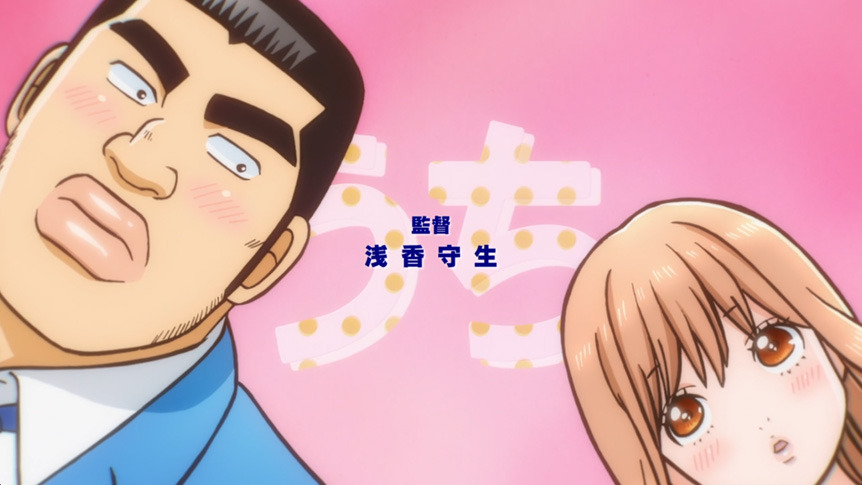
LOCAL CONNECT - Shiawase no Arika ( Ore Monogatari!! ) MP3 FREE DOWNLOAD
Nice Anime + Nice Ending Song. . ΦωΦ
Don't forget to support original owner.
Use this file for personal use ONLY.
Anime: Ore Monogatari!!
Artist: LOCAL CONNECT
Song: Shiawase no Arika
Link: [ Download Here ]
~Kizaya
Saturday, 14 November 2015
[TL2] Torchlight Modlaucher FIXED for "connecting to steam"
"Connecting to Steam"
This kinda sentences the mod launcher will shows whenever you boot up your torchlight 2's modlauncher. Unless its really connected to Steam, the second button ("Play with Mod") will forever be grayed out.
Here is the solution, but remember, if my method didn't works for you, do not sad or panic, there will be always someone out there will trying to help. So, do not give up and keep searching.
Before you can play with Mod, you will need to download and install Update 14 first. You can search for it at google. Trying things like "Torchlight 2 update 14" will help you.
To make the Modlaucher work, all you need to do is to download the fix below. It's a .zip file. Just extract it and put all the extracted files into your folder of Updated Torchlight 2. That's all. :3
Ganbare nee.
Credit: Thunder, The Hellraisers.
Link: [ Download Here ]
~kizaya
This kinda sentences the mod launcher will shows whenever you boot up your torchlight 2's modlauncher. Unless its really connected to Steam, the second button ("Play with Mod") will forever be grayed out.
Here is the solution, but remember, if my method didn't works for you, do not sad or panic, there will be always someone out there will trying to help. So, do not give up and keep searching.
Before you can play with Mod, you will need to download and install Update 14 first. You can search for it at google. Trying things like "Torchlight 2 update 14" will help you.
To make the Modlaucher work, all you need to do is to download the fix below. It's a .zip file. Just extract it and put all the extracted files into your folder of Updated Torchlight 2. That's all. :3
Ganbare nee.
Credit: Thunder, The Hellraisers.
Link: [ Download Here ]
~kizaya
Kensha Ono - Touch FREE MP3 DOWNLOAD
Bump me on chat if link broken.
Please support the original if you like this song!
Title: Touch
Artist: Kensha Ono
Link: [ Download Here ]
~Kizaya
Please support the original if you like this song!
Title: Touch
Artist: Kensha Ono
Link: [ Download Here ]
~Kizaya
Tuesday, 3 November 2015
[ Open GL Tutorial ] Drawing A Rotating 3D Box [ Fully Writed with Detail]
"
Keep Calm
And Be
A Good Programmer "
~Kizaya
#include <GL/glut.h> // GLUT, include glu.h and gl.h
char title[] = "3D Shapes with animation";
GLfloat angleCube = 0.0f; // Rotational angle for cube
int refreshMills = 15; // refresh interval in milliseconds
/* Initialize OpenGL Graphics */
void initGL() {
glClearColor(0.0f, 0.0f, 0.0f, 1.0f); // Set background color to black and opaque
glEnable(GL_DEPTH_TEST); // Enable depth testing for z-culling
glShadeModel(GL_SMOOTH); // Enable smooth shading
glHint(GL_PERSPECTIVE_CORRECTION_HINT, GL_NICEST); // Nice perspective corrections
}
void display() {
glClear(GL_COLOR_BUFFER_BIT | GL_DEPTH_BUFFER_BIT); // Clear color and depth buffers
glMatrixMode(GL_MODELVIEW); // To operate on model-view matrix
glLoadIdentity(); // Reset the model-view matrix
glTranslatef(1.5f, 0.0f, -7.0f); // Move right and into the screen
glRotatef(angleCube, 1.0f, 1.0f, 1.0f); // Rotate about (1,1,1)-axis
glBegin(GL_QUADS); // Begin drawing the color cube with 6 quads
// Top face (y = 1.0f) // Define vertices in counter-clockwise (CCW) order with normal pointing out
glColor3f(0.0f, 1.0f, 0.0f); // Green
glVertex3f( 1.0f, 1.0f, -1.0f);
glVertex3f(-1.0f, 1.0f, -1.0f);
glVertex3f(-1.0f, 1.0f, 1.0f);
glVertex3f( 1.0f, 1.0f, 1.0f);
// Bottom face (y = -1.0f)
glColor3f(1.0f, 0.5f, 0.0f); // Orange
glVertex3f( 1.0f, -1.0f, 1.0f);
glVertex3f(-1.0f, -1.0f, 1.0f);
glVertex3f(-1.0f, -1.0f, -1.0f);
glVertex3f( 1.0f, -1.0f, -1.0f);
// Front face (z = 1.0f)
glColor3f(1.0f, 0.0f, 0.0f); // Red
glVertex3f( 1.0f, 1.0f, 1.0f);
glVertex3f(-1.0f, 1.0f, 1.0f);
glVertex3f(-1.0f, -1.0f, 1.0f);
glVertex3f( 1.0f, -1.0f, 1.0f);
// Back face (z = -1.0f)
glColor3f(1.0f, 1.0f, 0.0f); // Yellow
glVertex3f( 1.0f, -1.0f, -1.0f);
glVertex3f(-1.0f, -1.0f, -1.0f);
glVertex3f(-1.0f, 1.0f, -1.0f);
glVertex3f( 1.0f, 1.0f, -1.0f);
// Left face (x = -1.0f)
glColor3f(0.0f, 0.0f, 1.0f); // Blue
glVertex3f(-1.0f, 1.0f, 1.0f);
glVertex3f(-1.0f, 1.0f, -1.0f);
glVertex3f(-1.0f, -1.0f, -1.0f);
glVertex3f(-1.0f, -1.0f, 1.0f);
// Right face (x = 1.0f)
glColor3f(1.0f, 0.0f, 1.0f); // Magenta
glVertex3f(1.0f, 1.0f, -1.0f);
glVertex3f(1.0f, 1.0f, 1.0f);
glVertex3f(1.0f, -1.0f, 1.0f);
glVertex3f(1.0f, -1.0f, -1.0f);
glEnd(); // End of drawing color-cube
glutSwapBuffers(); // Swap the front and back frame buffers (double buffering)
// Update the rotational angle after each refresh
angleCube -= 0.30f;
}
/* Called back when timer expired [NEW] */
void timer(int value) {
glutPostRedisplay(); // Post re-paint request to activate display()
glutTimerFunc(refreshMills, timer, 0); // next timer call milliseconds later
}
void reshape(GLsizei width, GLsizei height) { // GLsizei for non-negative integer
// Compute aspect ratio of the new window
if (height == 0) height = 1; // To prevent divide by 0
GLfloat aspect = (GLfloat)width / (GLfloat)height;
// Set the viewport to cover the new window
glViewport(0, 0, width, height);
// Set the aspect ratio of the clipping volume to match the viewport
glMatrixMode(GL_PROJECTION); // To operate on the Projection matrix
glLoadIdentity(); // Reset
gluPerspective(45.0f, aspect, 0.1f, 100.0f); // Enable perspective projection with fovy, aspect, zNear and zFar
}
/* Main function: GLUT runs as a console application starting at main() */
int main(int argc, char** argv) {
glutInit(&argc, argv); // Initialize GLUT
glutInitDisplayMode(GLUT_DOUBLE); // Enable double buffered mode
glutInitWindowSize(640, 480); // Set the window's initial width & height
glutInitWindowPosition(50, 50); // Position the window's initial top-left corner
glutCreateWindow(title); // Create window with the given title
glutDisplayFunc(display); // Register callback handler for window re-paint event
glutReshapeFunc(reshape); // Register callback handler for window re-size event
initGL(); // Our own OpenGL initialization
glutTimerFunc(0, timer, 0); // First timer call immediately
glutMainLoop(); // Enter the infinite event-processing loop
return 0;
}
Keep Calm
And Be
A Good Programmer "
~Kizaya
#include <GL/glut.h> // GLUT, include glu.h and gl.h
char title[] = "3D Shapes with animation";
GLfloat angleCube = 0.0f; // Rotational angle for cube
int refreshMills = 15; // refresh interval in milliseconds
/* Initialize OpenGL Graphics */
void initGL() {
glClearColor(0.0f, 0.0f, 0.0f, 1.0f); // Set background color to black and opaque
glEnable(GL_DEPTH_TEST); // Enable depth testing for z-culling
glShadeModel(GL_SMOOTH); // Enable smooth shading
glHint(GL_PERSPECTIVE_CORRECTION_HINT, GL_NICEST); // Nice perspective corrections
}
void display() {
glClear(GL_COLOR_BUFFER_BIT | GL_DEPTH_BUFFER_BIT); // Clear color and depth buffers
glMatrixMode(GL_MODELVIEW); // To operate on model-view matrix
glLoadIdentity(); // Reset the model-view matrix
glTranslatef(1.5f, 0.0f, -7.0f); // Move right and into the screen
glRotatef(angleCube, 1.0f, 1.0f, 1.0f); // Rotate about (1,1,1)-axis
glBegin(GL_QUADS); // Begin drawing the color cube with 6 quads
// Top face (y = 1.0f) // Define vertices in counter-clockwise (CCW) order with normal pointing out
glColor3f(0.0f, 1.0f, 0.0f); // Green
glVertex3f( 1.0f, 1.0f, -1.0f);
glVertex3f(-1.0f, 1.0f, -1.0f);
glVertex3f(-1.0f, 1.0f, 1.0f);
glVertex3f( 1.0f, 1.0f, 1.0f);
// Bottom face (y = -1.0f)
glColor3f(1.0f, 0.5f, 0.0f); // Orange
glVertex3f( 1.0f, -1.0f, 1.0f);
glVertex3f(-1.0f, -1.0f, 1.0f);
glVertex3f(-1.0f, -1.0f, -1.0f);
glVertex3f( 1.0f, -1.0f, -1.0f);
// Front face (z = 1.0f)
glColor3f(1.0f, 0.0f, 0.0f); // Red
glVertex3f( 1.0f, 1.0f, 1.0f);
glVertex3f(-1.0f, 1.0f, 1.0f);
glVertex3f(-1.0f, -1.0f, 1.0f);
glVertex3f( 1.0f, -1.0f, 1.0f);
// Back face (z = -1.0f)
glColor3f(1.0f, 1.0f, 0.0f); // Yellow
glVertex3f( 1.0f, -1.0f, -1.0f);
glVertex3f(-1.0f, -1.0f, -1.0f);
glVertex3f(-1.0f, 1.0f, -1.0f);
glVertex3f( 1.0f, 1.0f, -1.0f);
// Left face (x = -1.0f)
glColor3f(0.0f, 0.0f, 1.0f); // Blue
glVertex3f(-1.0f, 1.0f, 1.0f);
glVertex3f(-1.0f, 1.0f, -1.0f);
glVertex3f(-1.0f, -1.0f, -1.0f);
glVertex3f(-1.0f, -1.0f, 1.0f);
// Right face (x = 1.0f)
glColor3f(1.0f, 0.0f, 1.0f); // Magenta
glVertex3f(1.0f, 1.0f, -1.0f);
glVertex3f(1.0f, 1.0f, 1.0f);
glVertex3f(1.0f, -1.0f, 1.0f);
glVertex3f(1.0f, -1.0f, -1.0f);
glEnd(); // End of drawing color-cube
glutSwapBuffers(); // Swap the front and back frame buffers (double buffering)
// Update the rotational angle after each refresh
angleCube -= 0.30f;
}
/* Called back when timer expired [NEW] */
void timer(int value) {
glutPostRedisplay(); // Post re-paint request to activate display()
glutTimerFunc(refreshMills, timer, 0); // next timer call milliseconds later
}
void reshape(GLsizei width, GLsizei height) { // GLsizei for non-negative integer
// Compute aspect ratio of the new window
if (height == 0) height = 1; // To prevent divide by 0
GLfloat aspect = (GLfloat)width / (GLfloat)height;
// Set the viewport to cover the new window
glViewport(0, 0, width, height);
// Set the aspect ratio of the clipping volume to match the viewport
glMatrixMode(GL_PROJECTION); // To operate on the Projection matrix
glLoadIdentity(); // Reset
gluPerspective(45.0f, aspect, 0.1f, 100.0f); // Enable perspective projection with fovy, aspect, zNear and zFar
}
/* Main function: GLUT runs as a console application starting at main() */
int main(int argc, char** argv) {
glutInit(&argc, argv); // Initialize GLUT
glutInitDisplayMode(GLUT_DOUBLE); // Enable double buffered mode
glutInitWindowSize(640, 480); // Set the window's initial width & height
glutInitWindowPosition(50, 50); // Position the window's initial top-left corner
glutCreateWindow(title); // Create window with the given title
glutDisplayFunc(display); // Register callback handler for window re-paint event
glutReshapeFunc(reshape); // Register callback handler for window re-size event
initGL(); // Our own OpenGL initialization
glutTimerFunc(0, timer, 0); // First timer call immediately
glutMainLoop(); // Enter the infinite event-processing loop
return 0;
}
[ Download ] Hikasa Yoko - Koi No Megane [ Character Song: Ore, Twintail ni Narimasu ]
"megane . .megane . .megane . .ai"
Anime: Ore, Twintail ni Narimasu
Character: Iisuna Anko
CV: Hikasa Yoko
Song: Koi no Megane
~If you like the song, please buy the original.
Download Link: [ Download ]
Subscribe to:
Comments (Atom)